
In today’s data-driven world, basic spreadsheet skills are no longer enough. Businesses rely on deeper insights, automation, and efficiency—and that’s where Advanced Excel comes in. It’s not just about creating tables or simple formulas; it’s about turning raw data into meaningful decisions.
Why Advanced Excel Matters
Table of Contents
ToggleAdvanced Excel empowers you to:
- Analyze large datasets quickly
- Automate repetitive tasks
- Build dynamic reports and dashboards
- Make data-backed decisions with confidence
Whether you’re a student, analyst, or business professional, mastering advanced Excel can significantly boost your productivity and career opportunities.
Key Features of Advanced Excel
1. Advanced Formulas & Functions
Beyond SUM and AVERAGE, advanced Excel includes powerful functions like:
- VLOOKUP / HLOOKUP / XLOOKUP – for data retrieval
- INDEX & MATCH – more flexible lookup combinations
- IF, nested IF, and logical functions – for decision-making
- TEXT, DATE, and financial functions – for specialized tasks
These formulas allow you to manipulate and analyze data with precision.
2. Pivot Tables & Pivot Charts
Pivot tables are one of Excel’s most powerful tools. They help you:
- Summarize large datasets
- Identify trends and patterns
- Create interactive reports
With pivot charts, you can visualize insights instantly, making your data easier to understand.
3. Data Visualization & Dashboards
Advanced Excel lets you build dashboards using:
- Charts (bar, line, pie, combo charts)
- Conditional formatting
- Slicers and timelines
A well-designed dashboard can turn complex data into clear, actionable insights.
Advanced excel with AI
The integration of AI into Excel is changing the way we work with data. With features like predictive analysis, automated insights, and smart suggestions, 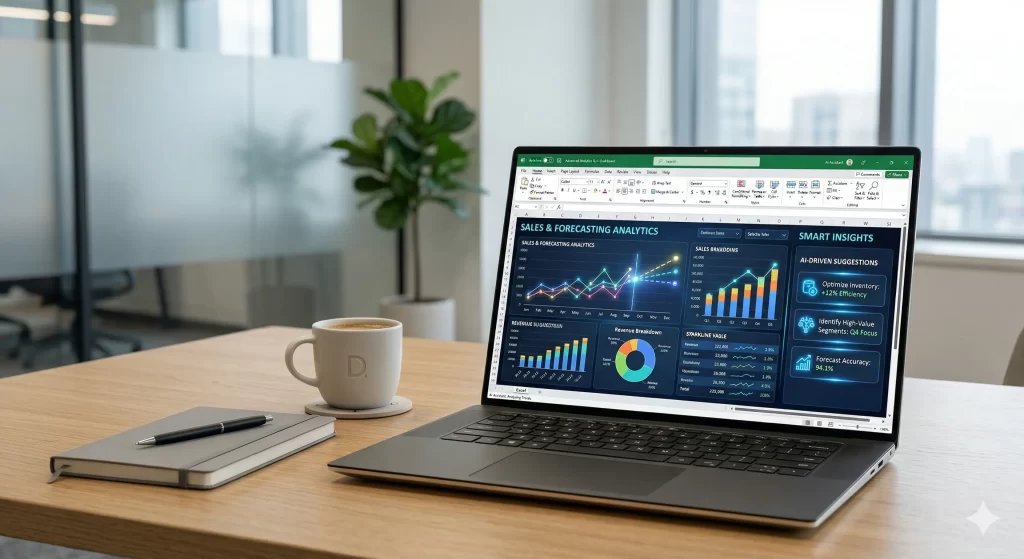 helps users go beyond manual analysis. It can detect patterns, forecast trends, and even recommend the best ways to visualize your data—making your workflow faster and smarter.
4. Data Cleaning & Preparation
Raw data is often messy. Advanced Excel helps you clean it using:
- Text to Columns
- Remove Duplicates
- Data Validation
- Flash Fill
Clean data is the foundation of accurate analysis.
5. Automation with Macros & VBA
Repetitive tasks can waste time. With macros and VBA (Visual Basic for Applications), you can:
- Automate workflows
- Create custom functions
- Build mini applications inside Excel
This is where Excel becomes a powerful automation tool.
6. Power Query & Power Pivot
These tools take Excel to the next level:
- Power Query: Import, clean, and transform data from multiple sources
- Power Pivot: Handle large datasets and create data models
They are essential for working with big data and business intelligence.
Advanced excel course in jodhpur
If you’re looking to build practical, job-ready skills, enrolling in an Advanced excel course in jodhpur can be a great step. Such courses focus on real-world projects, hands-on training, and industry-relevant tools that help you apply Excel effectively in professional environments.
Real-World Applications
Advanced Excel is used across industries:
- Finance: Budgeting, forecasting, financial modeling
- Marketing: Campaign analysis and performance tracking
- Operations: Inventory and supply chain management
- HR: Employee data and reporting
No matter the field, Excel plays a crucial role.
Final Thoughts
Advanced Excel is more than just a tool—it’s a skill that can transform how you work with data. From simplifying daily tasks to enabling strategic decisions, it gives you a strong edge in today’s competitive world.
If you invest time in mastering it, you’re not just learning software—you’re learning how to think analytically and work smarter.